



Anúncios
Electrical diagrams of switches and outlets look like code until someone explains the symbols.
This guide has 15 diagrams, one per page, in plain words. Also, the free PDF has no sign-up and no email.
Anúncios
However, this is a reading guide. It does not teach installation or repair, so call a licensed electrician for any real electrical work.
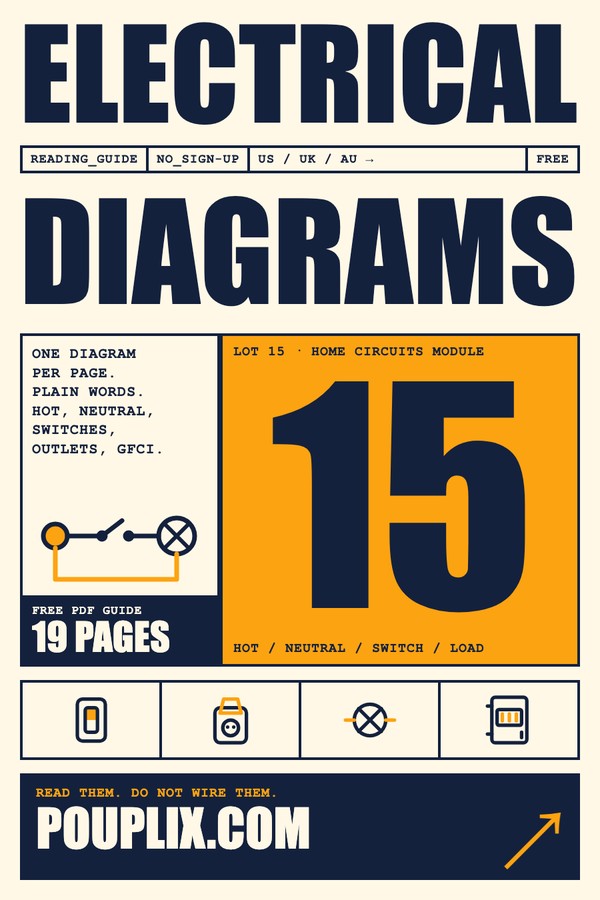
15 Electrical Diagrams
- Free, no payment
- Direct from pouplix.com (HTTPS)
- One PDF: opens on your phone or computer
- No sign-up, email or WhatsApp
- A diagram is a loop: power goes out on the hot wire and returns on the neutral.
- Switches sit on the hot side. Outlets share the circuit side by side.
- GFCI (US) and RCD (UK, AU) outlets watch for leaks and trip fast.
- The free PDF has 15 diagrams and a US, UK and AU terms table.
How to Read Electrical Diagrams in Three Steps
Anúncios
Every diagram follows the same logic. First, find the source, which is usually a circle with a wave. Then follow the hot line to the load, which can be a lamp or an outlet. Finally, trace the neutral line back to the source.
If you can say that path out loud, you can read the diagram. Also, remember that a dot where lines meet means they are connected. Lines that cross with no dot are not connected.
The 15 Diagrams in the Free PDF
The PDF goes from simple to harder, with 19 pages in all. Therefore, here is what the pages show, so you know what to expect.
Basic loop and single switch
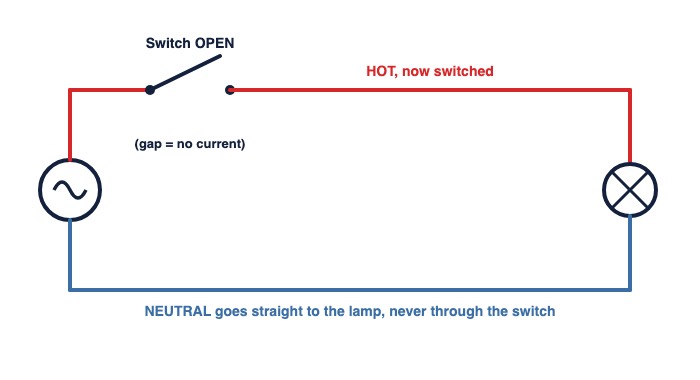
The first diagrams show the basic loop, and then the same loop with a switch. They teach the red hot line, the blue neutral line and what an open switch does.
Outlets and GFCI protection
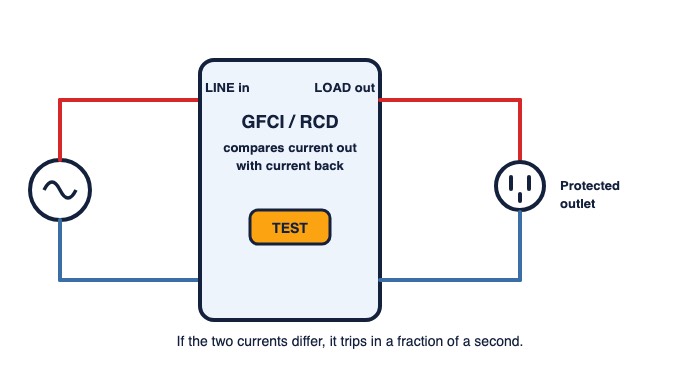
Outlets hang between the two rails, side by side. That is why unplugging one device does not turn off the other outlet. A GFCI or RCD adds a sensor that compares the current going out with the current coming back.
Two-way, three-way and four-way switches
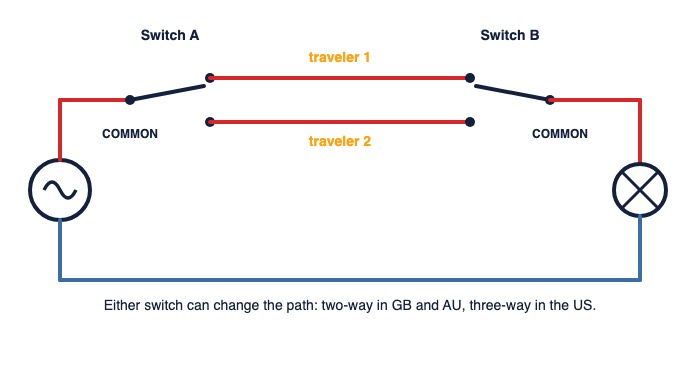
Two switches can control one light, like at the top and bottom of the stairs. The wires between them are called travelers. A third control point adds a middle switch that swaps the travelers.
Dimmers, shared boxes, panel labels and the smart switch
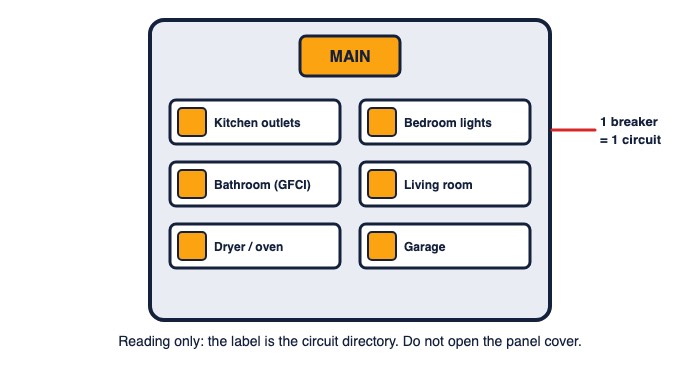
The later pages cover a dimmer, a dimmer at two switch points, a switch and an outlet in one box, an outlet with one half on a switch, one GFCI protecting the next outlets, a ceiling fan with light and the smart switch symbol. The panel page is for reading labels only. Opening the panel cover is a job for a professional.
The 15 Diagrams at a Glance
Finally, this table puts all 15 diagrams in one place. Also, it shows the US, GB and AU names next to each one.
US, UK and AU Terms: Same Diagram, Different Words
The same part can have three names. This table is also on the last page of the PDF, so you can read a diagram from any country.
What You Can Do Safely With a Diagram
Reading a diagram helps you talk to an electrician. You can describe which switch controls which light, point to the right breaker label, and understand a quote. It also helps you spot why a GFCI keeps tripping, so you can explain the problem clearly.
So use the PDF as a study sheet. Pick one diagram a day and trace it with your finger: source, hot, switch, load, neutral, back. After 15 days, the symbols will feel familiar.
Frequently Asked Questions About Reading Electrical Diagrams
Does the guide teach installation?
Is the PDF free? Do I need to sign up?
Do the names change between countries?
Why is the line red or blue in the drawings?
Can I read the PDF on my phone?
Conclusion
Learning to read electrical diagrams takes a few symbols and one habit: follow the loop. With 15 diagrams in order of difficulty, you go from a simple switch to a smart switch symbol in a few short sessions.
Download the free PDF, trace one diagram today, and use the quiz to check what you learned.
This content is educational only. It simplifies real circuits and is not a substitute for local electrical codes or a licensed electrician. Pouplix is not responsible for work done from it. Never open a panel, switch plate or wall box yourself.